
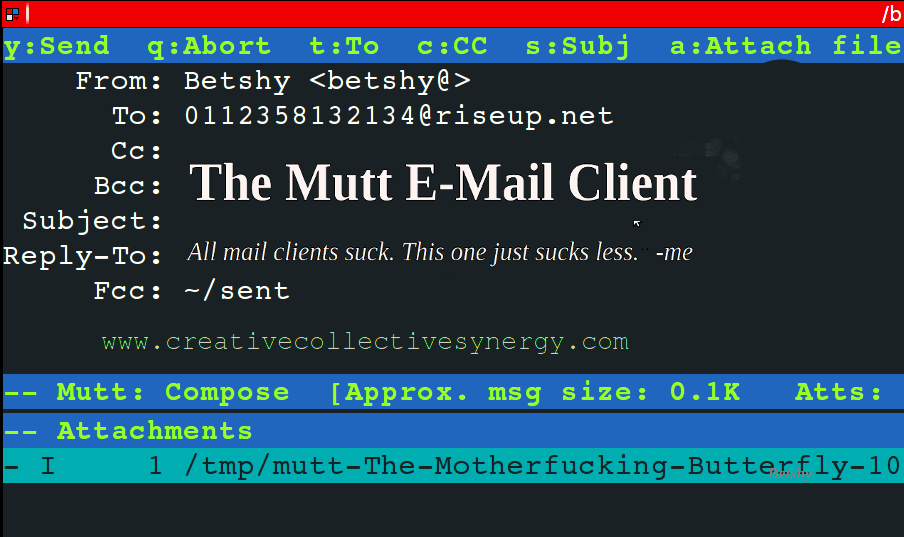

Mutt is an excellent, open-source, messaging client that functions through the Linux terminal. Many security experts are still using this because it has good PGP support, it’s fast, and can be customised to one’s taste. It isn’t recommended for those who only begin learning about command-based interfaces. There are a few things that need to be configured in the /etc/muttrc file, such as IMAP y SMTP. However, once these few things have been dealt with, it is quite easy to use to receive/send e-mail.
This is the step by step, command-line based process:
- Download and install mutt.
sudo apt-get install mutt - Open the file with your preferred text-editor. I use Vim.
vim /etc/Muttrc - Create a commentary “e-mail-configuration” so it is easy to understand in the future.
#e-mail-configuration - Next, paste the following information. Make sure to replace “username@email.com”, and “password” with your real details.
# IMAP
set from         = "username@email.com"
set imap_user         = "username@email.com"
set imap_pass = "password"
set folder = "imaps://imap.gmail.com:993"
set imap_check_subscribed
-
# SMTP
set smtp_url = "smtp://username@smtp.email.com:587/"
set smtp_pass = "password" set spoolfile = "+INBOX"
set postponed = "+[Gmail]/Drafts" set trash = "imaps://imap.gmail.com/[Gmail]/Trash" set header_cache =~/.mutt/cache/headers set message_cachedir =~/.mutt/cache/bodies set certificate_file =~/.mutt/certificates
- Finally, execute:
mkdir -p /home/.mutt/cache
That’s it. Now Mutt is ready to go.
Share this:

You Might Also Enjoy Reading

Hello, my cherished community. It's Betshy here, your Plymouth-based psychoanalyst,…

Search Engine Optimisation, or SEO, is a crucial strategy for…

In recent years, advancements in bio-science have brought about incredible…

In today's rapidly evolving world, technology is constantly pushing boundaries…

In recent years, the field of mental health has gained…

In the fast-paced world of social media, Instagram has always…

Hello, my wonderful community! Here I am typing away from…


In the fast-paced digital era we live in, businesses are…

The possibility of extraterrestrial life has fascinated humans for centuries….

Artificial Intelligence (AI) has become an integral part of our…